
The Fastest Way to Automate Roadside Object Placement for HD Maps
Creating accurate and realistic HD maps is essential for ADAS, autonomous driving development, and high-fidelity HIL/SIL simulations. Yet one of the most time-consuming parts of HD map production is the repetitive placement of roadside objects — trees, poles, benches, traffic signs, guardrails, and other environmental assets.
Most map creation tools still rely on manual drag-and-drop workflows, leading to slow production cycles and inconsistent object alignment.
RepliMap, developed by Automotive Artificial Intelligence (AAI), solves this challenge with a breakthrough feature: the Magic Repeat Tool.
This article explains how the Magic Repeat Tool works, why it dramatically accelerates OpenDRIVE-ready map creation, and how it compares to traditional tools such as MathWorks RoadRunner.
Why Repetitive Object Placement Slows Down HD Map Creation
Teams creating simulation maps often face the same problems:
- Manual placement of objects takes hours per road segment
- Maintaining consistent spacing is difficult
- Errors increase as the number of objects grows
- Large-scale environments require thousands of identical assets
- Exporting to OpenDRIVE or simulation platforms becomes complex when objects are not perfectly aligned
These challenges reduce productivity and create bottlenecks in ADAS/AD development pipelines.
RepliMap eliminates these issues by automating one of the most repetitive and time-consuming tasks in map making.
What Is RepliMap’s Magic Repeat Tool?
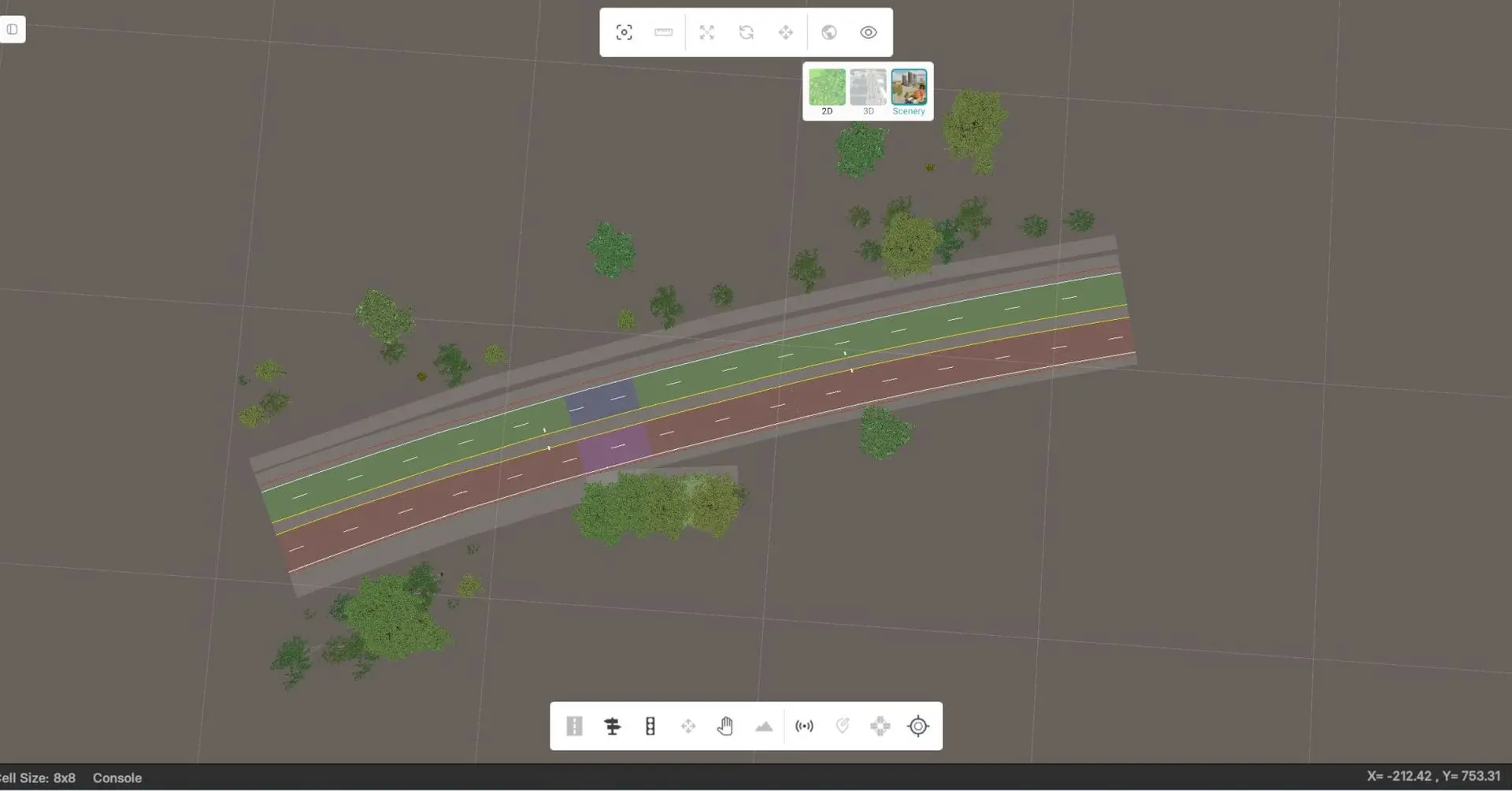
The Magic Repeat Tool is an automated asset distribution feature in RepliMap that allows map creators to place large numbers of roadside objects with perfect spacing and orientation — instantly.
How it works:
- Draw a line or spline along the road.
- Select an object (tree, pole, bench, traffic sign, barrier, custom asset).
- Click Generate.
Within seconds, RepliMap places a complete, evenly spaced set of objects along the defined path. No manual adjustment. No copy-paste loops. No tedious alignment.
Key Benefits for Simulation and HD Map Production
1. Up to 10x Faster Map-Making
The Magic Repeat Tool reduces hours of manual labor to a few seconds. Large environments can be populated quickly, enabling faster simulation scenario creation and HIL/SIL test preparation.
2. Perfect Alignment for OpenDRIVE Maps
Consistent spacing and orientation improve the quality of OpenDRIVE exports and reduce downstream corrections.
3. Higher-Quality Simulation Environments
Uniform roadside assets boost the realism of ADAS and autonomous driving simulations, improving the accuracy of perception and behavior models.
4. Less Error, More Productivity
Automation reduces human error and ensures every object is placed exactly where it should be, improving the reliability of scenario generation.
5. Better Than Manual Tools Like RoadRunner
While tools such as MathWorks RoadRunner still require extensive manual interaction for object placement, RepliMap’s Magic Repeat Tool makes the process fully automatic — saving significant time and effort
What it means for ADAS and Autonomous Driving
Modern ADAS and autonomous driving systems require realistic, detailed simulation environments.
For HIL and SIL testing, every roadside element matters:
- Trees affect lidar returns
- Poles influence radar reflections
- Barriers define safe driving envelopes
- Benches, signs, and custom assets enrich perception datasets
By automating environmental asset placement, RepliMap helps simulation teams build more complete and more realistic maps in a fraction of the time.
Accelerate Your HD Map Workflow with RepliMap
Automotive Artificial Intelligence (AAI) built RepliMap to remove friction from the HD map creation process.
The Magic Repeat Tool is one of many automation features designed to streamline workflows for ADAS development, simulation testing, and OpenDRIVE map production.
If your team wants to:
- Reduce repetitive work,
- Improve consistency and realism,
- Accelerate simulation preparation,
- And generate high-quality maps at scale,
then RepliMap’s Magic Repeat Tool offers a clear competitive advantage.
📬 To request a walkthrough, technical documentation, or sample export files, contact us at [email protected]